GETTING STARTED
Your first session on MineFury: starter, exploring, and what to do next.
Updated
Your first session on a Pokémon Minecraft server is mostly the same on both sides of MineFury: pick a starter, catch a team, stake out some land. This page covers the first hour; the commands list covers everything you can type after that.
PICK YOUR STARTER POKÉMON
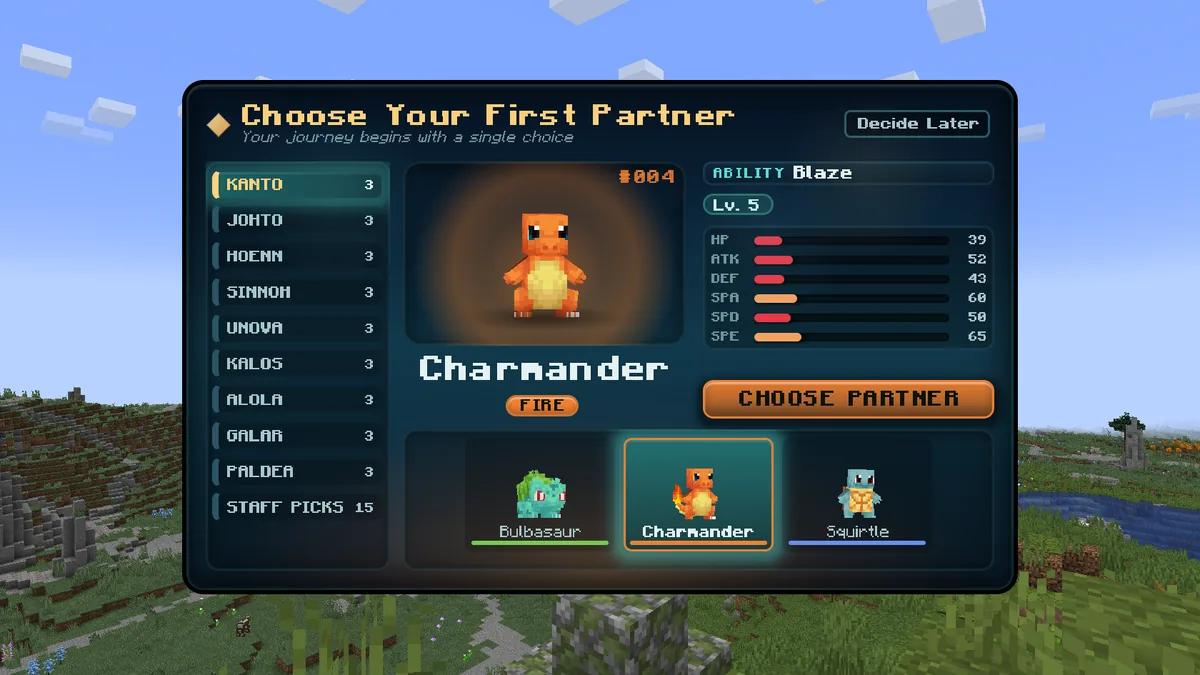
When you first join a server you choose your starter Pokémon and receive a starter kit with Poké Balls, tools and food to get you going.
EXPLORE AND CATCH POKÉMON
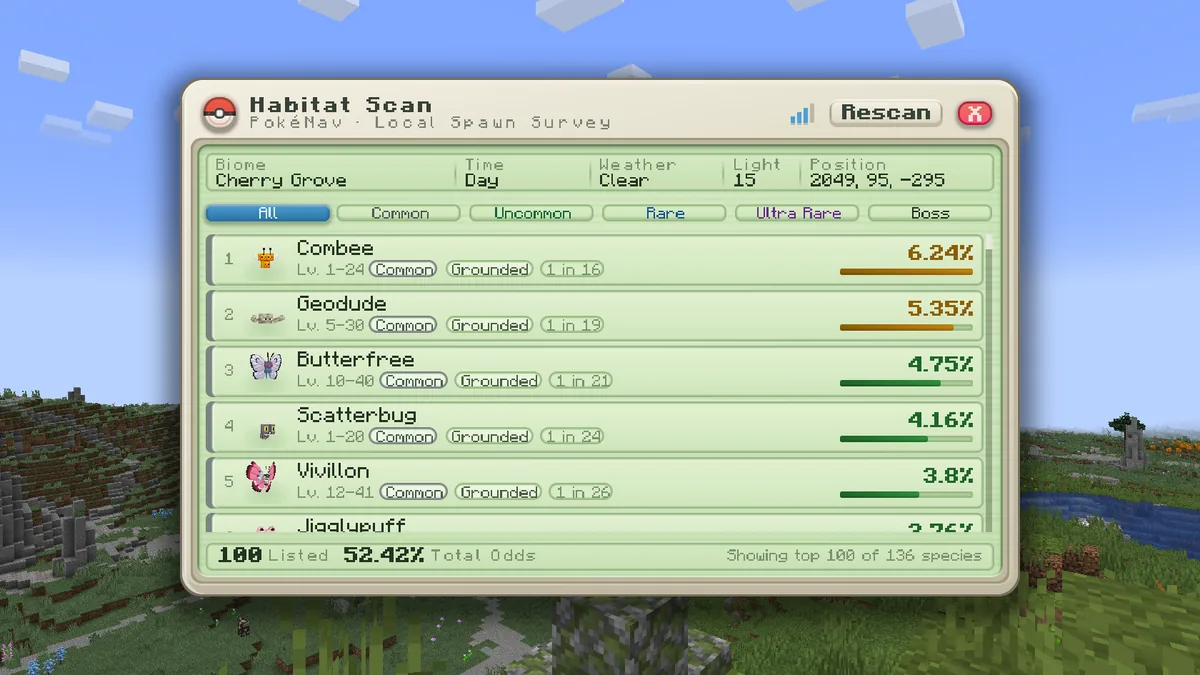
Use /rtp to random-teleport into the wild. Pokémon spawn by biome, and /checkspawn opens the Habitat Scan: every species that can spawn where you are standing, with its odds, level range and rarity.
CLAIM LAND AND SET A HOME
Claim land with /claim to protect your builds, and set a home with /sethome. Claims let you control exactly who can build, open chests or interact on your land; the land claims guide covers credits, trust ranks and permissions.
EARN REWARDS AS YOU PLAY
Quests and achievements reward you as you play. Each day you can also vote, claim kits with /kit, fight your Rival Ring battle and check the day's surging species.
Once you start chaining catches of one species, read the catch combos guide: it is the main shiny hunting system on the network.


READY TO PLAY, TRAINER?
 MINEFURY
A Pixelmon and Cobblemon Minecraft network. Join at play.minefury.com.