FRIENDS, CHAT & MAIL
Friends across the network, private messages, chat channels, blocking, the mailbox, reports and paying players.
Updated
This page covers the commands for talking to and dealing with other players: friends, private messages, chat channels, blocking, the mailbox, reports and payments. Friends and private messages work across the whole network, so you can reach a friend on another server without switching.
FRIENDS
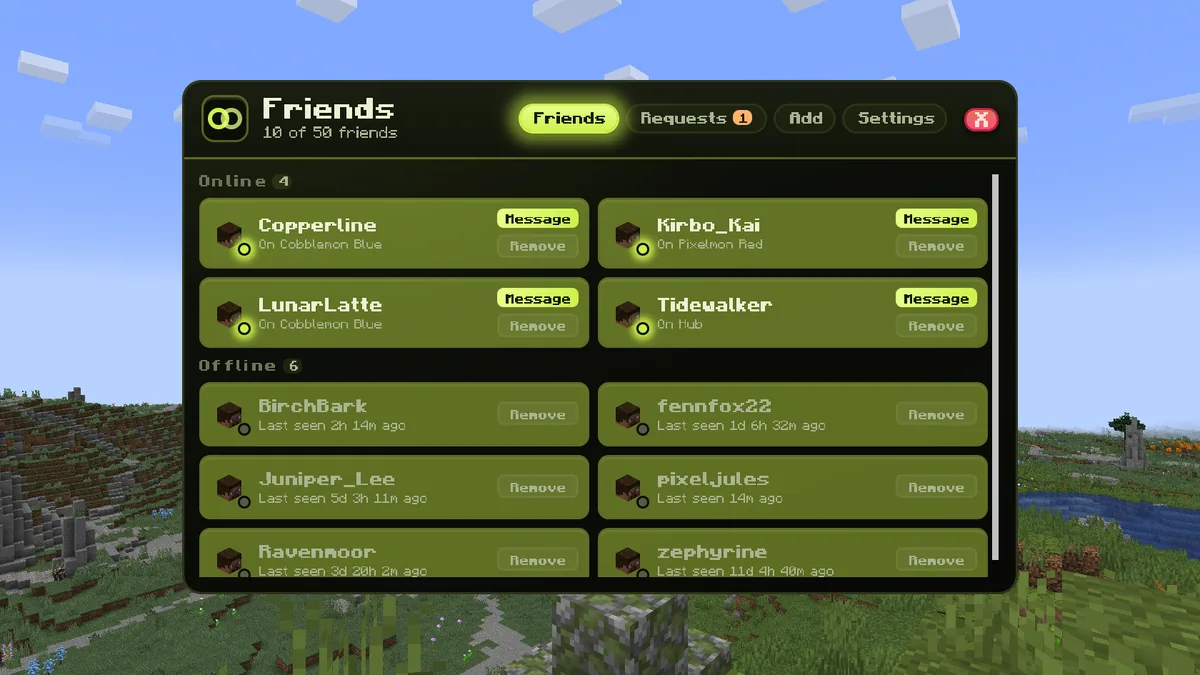
/friend (also /friends) opens your friends list. Online friends show which server they are on, and offline friends show when they were last seen.
- /friend add <player> · send a friend request. The player can accept or decline from the chat message.
- /friend accept <player> · /friend deny <player> · answer a request.
- /friend requests · see requests you have sent and received. /friend cancel <player> withdraws one you sent.
- /friend remove <player> · remove a friend. They are not told.
- /friend list · your friends list in chat.
You can have up to 50 friends and 20 requests waiting at once. An unanswered request is dropped after 14 days.
ONLINE NOTICES
When a friend comes online or goes offline anywhere on the network, you get a short notice in chat with a button to message them. When you first join, one line lists the friends who are online. Turn the notices off or on with /friend notify, and stop taking friend requests with /friend togglerequests.
PRIVATE MESSAGES
- /msg <player> <message> · send a private message (also /w and /tell). It reaches the player on any server in the network.
- /reply <message> · answer the last player who messaged you (also /r).
- /friend privacy everyone · friends · nobody · choose who can send you private messages. Everyone is the default.
Staff can always message you, and a mute also stops your private messages.
CHAT CHANNELS
/chat (also /c) opens the chat menu. Pick the channel your messages go to, mute channels you do not want to read, choose a chat color you have unlocked, and manage your blocked players. You can also switch channels with a command:
- /chat global · the whole server hears you (also /c g). This is the default channel.
- /chat local · only players within 250 blocks hear you (also /c l).
- /chat guild · only your guild members (also /c gu).
BLOCKING PLAYERS
/block <player> blocks a player across the whole network: you stop seeing their chat messages and they cannot private message you. Run it again to unblock, or unblock from the chat menu or your friend settings. Staff cannot be blocked.
THE MAILBOX
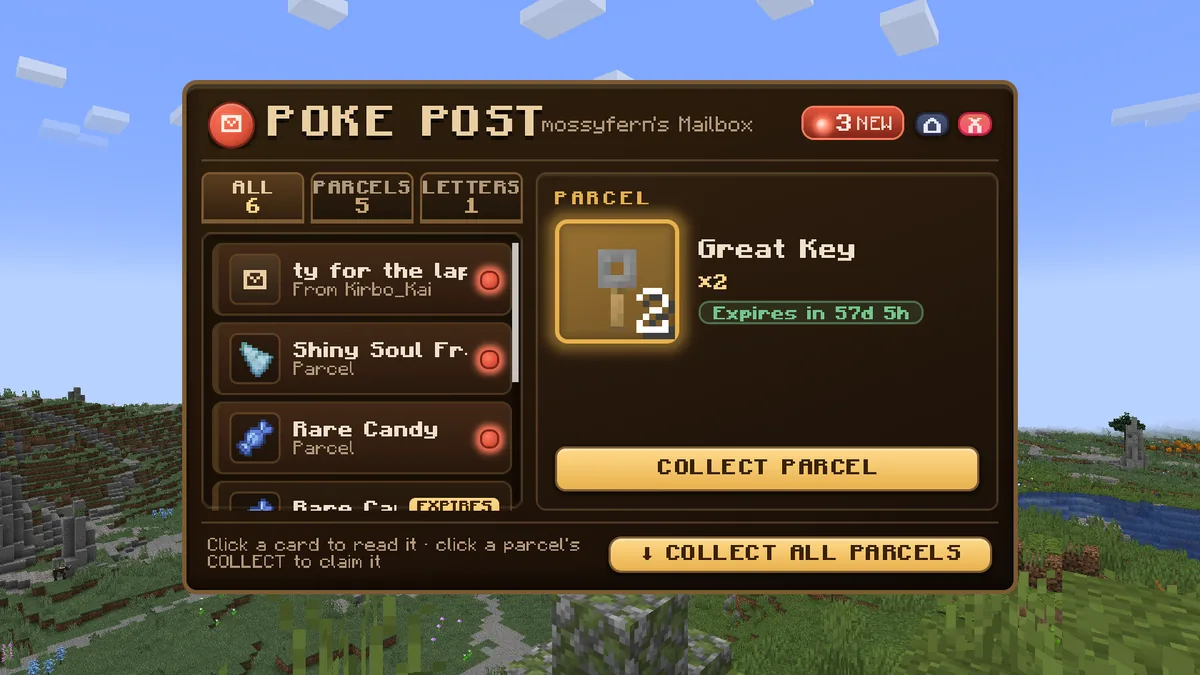
/mailbox (also /mail) holds items sent to you. When a reward gives you items and your inventory is full, the items go to your mailbox and you get a message in chat. /mail collect takes everything at once. Mail expires after 60 days, and the mailbox warns you about mail that has 14 days left. Each server has its own mailbox.
REPORTING A PLAYER
/report <player> <reason> sends a report to the staff team on every server. Describe what happened in the reason. For the rules themselves, see the server rules.
PAYING A PLAYER
/pay <player> <amount> sends the player a trade request with that much money already in your offer. They accept the request and both of you confirm the trade before the money moves. Without an amount, /pay works like /trade. See economy and trading for the rest.


READY TO PLAY, TRAINER?
 MINEFURY
A Pixelmon and Cobblemon Minecraft network. Join at play.minefury.com.